 Schildmark
Deployment
Hosted by us, or on your own servers
The same product either way. Each customer gets its own stack, with its own data, sign-in and certificates. What changes is who runs the servers and where the data lives.
| Hosted by us | Your server | Your two servers | |
|---|---|---|---|
| Who runs the servers | We do | You | You |
| Where your data lives | Its own server in our cloud | Your server | Your servers |
| Install | We install it and hand you the first sign-in | One command we send you | Two commands, core first |
| Good for | Teams that do not want to run servers | Most organisations | Larger fleets |
| Memory (minimum, recommended) | — | 8 GB, 16 GB | 6 + 4 GB, 16 + 8 GB |
| Upgrades | By us, at a time agreed with you | By us, at a time agreed with you | By us, core first |
Hosted stacks run in the region you choose, for example Frankfurt or another EU location. Self-hosted stacks keep one outbound HTTPS connection to our control plane for configuration, the licence and health, and need no inbound access.
One agent. One command.
Add agents in the console gives you one command each for Linux, macOS and Windows, and an MSI for Intune, Configuration Manager or Group Policy. The token in it is shown once and enrols up to the number of machines you set.
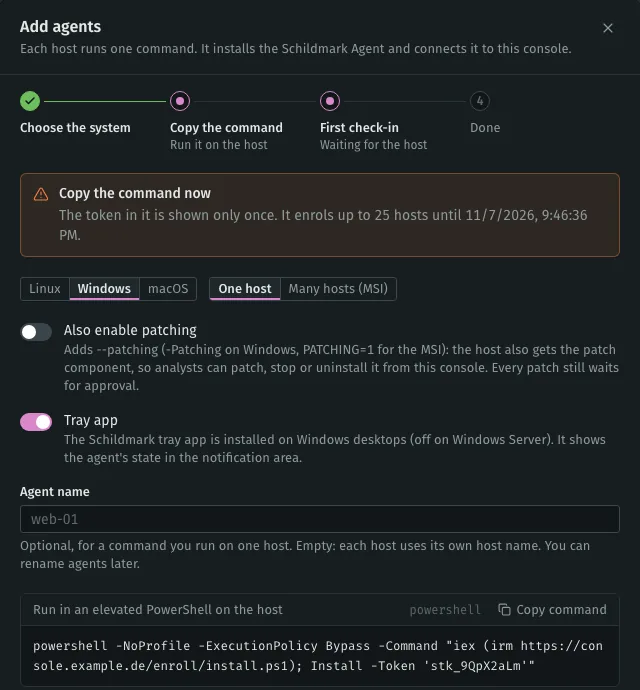
# Linux, as root. macOS is the same with install-macos.sh
curl -fsSL --proto '=https' -o /tmp/schildmark-install.sh \
  'https://soc.example.com/enroll/install.sh' \
  && sudo bash /tmp/schildmark-install.sh --token 'THS-…' --patching
--patching- Adds patching to the same agent. Leave it out for monitoring only, or run the command again later.
- Windows
- A PowerShell command, the MSI for mass rollout, or a setup wizard for one machine by hand.
- Signatures
- Packages are installed only after their signature is checked: Authenticode on Windows, Developer ID on macOS, the repository key on Linux.
- Removing
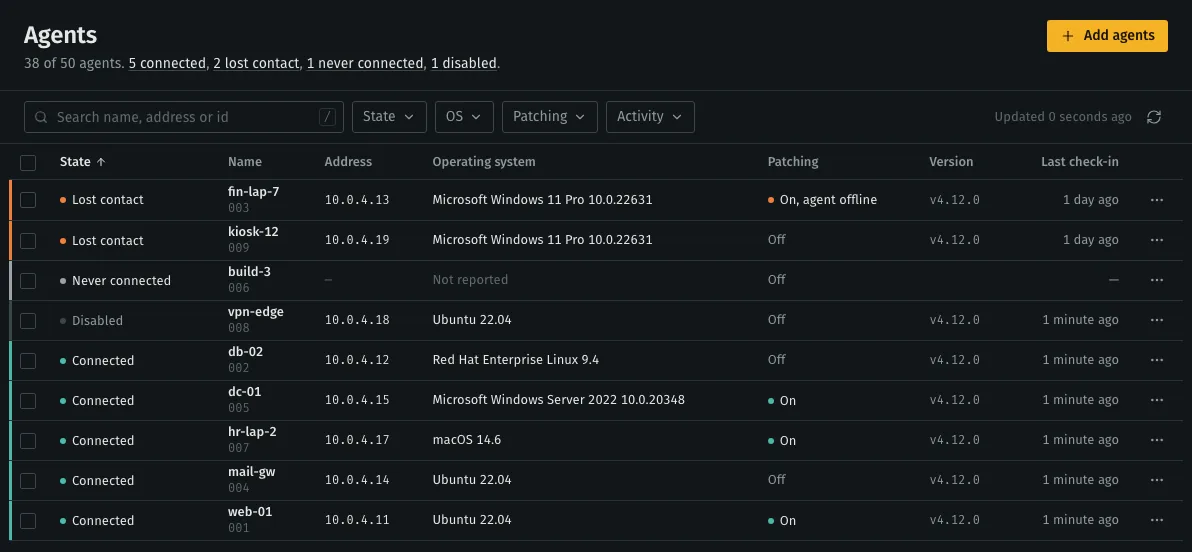
- Remove a machine in the console and its enrolment is revoked; its data is deleted by default.
Supported endpoints
| Platform | Monitoring | Patching |
|---|---|---|
| Debian, Ubuntu (amd64, arm64) | Yes | apt |
| RHEL, Rocky, Alma, Amazon Linux, Oracle Linux, Fedora, CentOS | Yes | dnf / yum |
| Windows (x64) | Yes, MSI signature checked | Windows Update KBs, winget (pilot) |
| macOS (Apple silicon, Intel) | Yes, package signature checked | Homebrew (pilot) |
Upgrades that undo themselves
We upgrade your stack from our control plane at a time agreed with you. On two servers the core goes first; a failed core stops the upgrade there. Downgrades are refused: the backup taken before the upgrade is restored instead.
Back up
Each server takes a local backup, kept as the rollback point.
Download
The release is downloaded and its checksum verified.
Switch
Settings, secrets, certificates and your data are kept, so agents and accounts stay valid.
Check
Every service must be healthy within 10 minutes, or the server rolls back on its own.
The console is briefly unavailable while services restart. Agents buffer their events and send them when the stack is back.
Backups
One command on the server writes a single file with the databases, alerts, settings, certificates and licence, each part checksummed. Restore verifies the checksums first.
Managed backup
- Encrypted first
- On your server, AES-256-GCM with a new key for every backup, before it leaves.
- No standing credentials
- Each upload uses a short-lived link for that one backup.
- Schedule
- Daily or weekly, keeping 1 to 90 backups.
- Restore
- Onto the same server, or a new one.
An add-on; see pricing.
Server requirements
The install command checks these itself and stops with a list of what failed. Full requirements
| Requirement | Detail |
|---|---|
| Operating system | Ubuntu 22.04 / 24.04, Debian 12, Red Hat Enterprise Linux, Rocky Linux, AlmaLinux 9 |
| Architecture | x86-64. Endpoints may be ARM. |
| Disk | 100 GB SSD or more on one server, sized for how long you keep alerts |
| Docker | Installed by the command if missing (Engine 24 or later is kept) |
| Network | Endpoints reach the server on 443 and 1514; outbound HTTPS to our control plane; nothing inbound from us |
| Clock | Synchronised; the command turns on NTP if it is off |
Where your data lives
A hosted stack runs in the region you choose when it is set up, for example Frankfurt or another EU location. Each customer has its own stack, so its logs, alerts, inventory and backups stay in that region. Self-hosted, everything stays on your servers.
- Region
- Frankfurt or another EU location, chosen when your stack is set up.
- Kept in the region
- Logs, alerts, machine inventory, vulnerability and patch history, compliance evidence and backups.
- AI requests
- Go only where your AI data policy allows: your own model, our standard provider, BAA-covered providers only, or nowhere.
- Self-hosted
- On one or two of your own Linux servers, in your data centre or your cloud account.
Talk to sales
Tell us about your machines, your firewalls and the audit you are preparing for. We answer within one working day.