 Schildmark
Platform
Evidence your auditor can read
Choose the frameworks you report on. Schildmark shows, control by control, where it holds evidence, warns when logs are kept for less time than a framework expects, and exports the evidence for a period as one file.
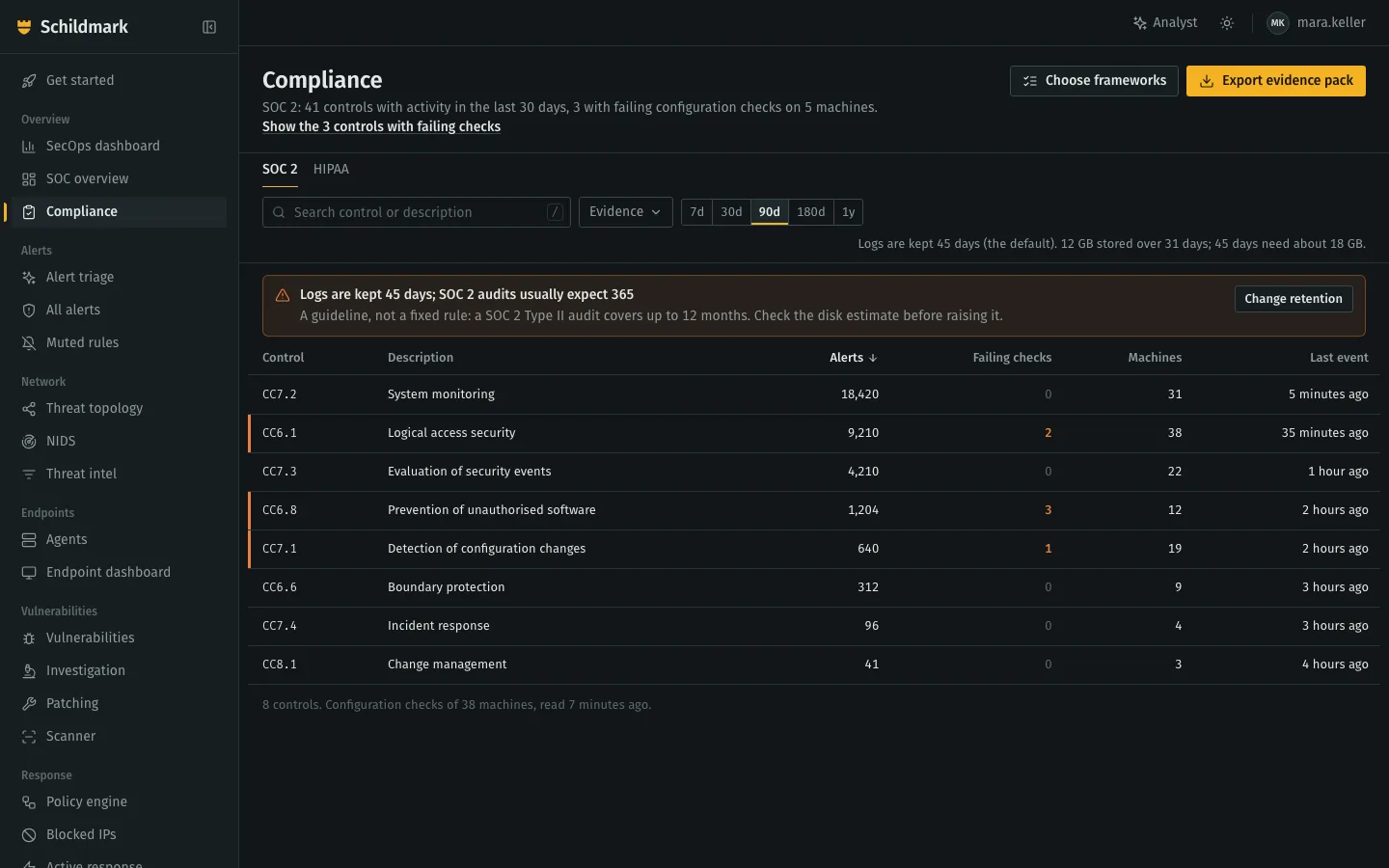
- The framework in a sentence. Controls with activity, and where configuration checks fail.
- One tab per framework. Only the ones you chose.
- Retention checked. Says whether the period is a requirement or a guideline, and where it comes from.
- Failing now. Rows with failing checks are marked.
- Export. The evidence pack for the same period; every export is in the audit log.
Frameworks and where the evidence comes from
Alerts count when a detection rule tags them with a control. Configuration checks are CIS benchmarks the agents run on each machine, read again every 10 minutes.
| Framework | Evidence from alerts | From configuration checks | Log retention it expects |
|---|---|---|---|
| SOC 2 | Yes | Yes | 365 days, a guideline |
| HIPAA | Yes | Yes | 365 days, a guideline |
| PCI DSS | Yes | Yes | 365 days, a requirement (10.5.1) |
| NIST 800-53 | Yes | Yes | 365 days, a guideline (AU-11) |
| ISO 27001 | No: the detection rules do not tag its controls | Yes | 365 days, a guideline (A.8.15) |
| GDPR | Yes | Yes | No minimum |
The page shows where the platform produced evidence for a control. It is not an audit opinion. Asked about NIS2 or another framework? Ask us what Schildmark covers for you.
One ZIP for the period
CSV files that open in any spreadsheet. A part that cannot be read is listed in the README rather than failing the export.
README.txtOrganisation, who made it and when, period, frameworks, log retention and any shortfall, and anything that could not be readcontrols.csvPer control: alerts and machines in the period, failing checks nowconfiguration_checks.csvEvery failing configuration check, with the controls it supportsconfiguration_scores.csvEach machine’s benchmark scoreaudit_trail.csvSign-ins, changes and responses in the consolevulnerabilities_fixed.csvVulnerabilities fixed, with the verification’s proofpatch_activity.csvPatch approvals, rejections and runsuser_access.csvWho can sign in: roles, administrators, last sign-in
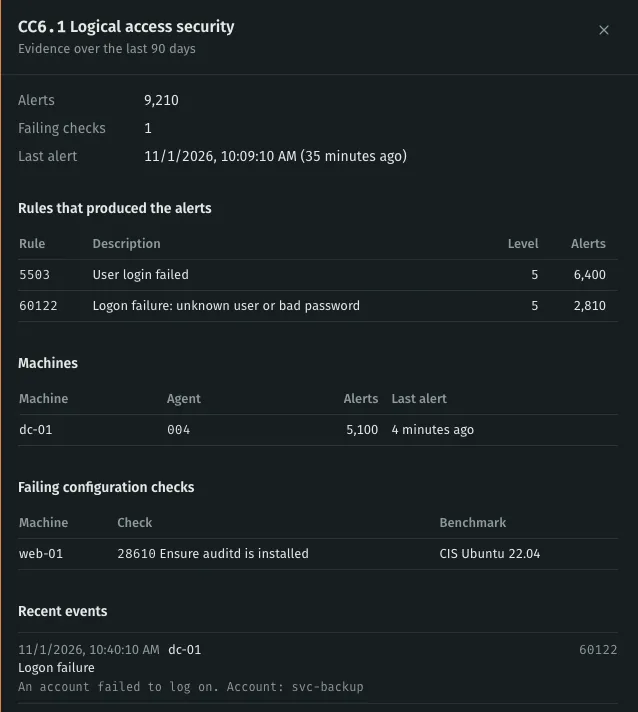
Logs kept as long as you need
Alerts and network events are kept for 45 days by default; administrators can set anything from 7 to 3,650 days in the console. The page shows the disk it takes and estimates what a longer period needs: a year needs about eight times the default.
Talk to sales
Tell us about your machines, your firewalls and the audit you are preparing for. We answer within one working day.